What Is App Store Optimization and How Does It Work
Learn what is app store optimization (ASO) and discover proven strategies to increase app visibility, boost organic downloads, and achieve sustainable growth.
App Store Optimization, or ASO, is the art and science of getting your app seen in the app stores and convincing people to download it. The easiest way to think about it? It’s Search Engine Optimization (SEO), but for the mobile app world. It's all about making sure your app shows up when potential users are searching for a solution you provide.
What Is App Store Optimization

So, you've poured your heart and soul into building an amazing app. The code is clean, the design is slick, and the features are game-changing. You hit "publish," and... crickets. How does anyone find it among the millions of other apps on the Apple App Store and Google Play?
This is precisely the problem App Store Optimization solves. It’s not a "set it and forget it" task, but an ongoing process of tweaking your app's store page to match what your ideal users are looking for. It involves getting inside their heads, understanding the words they use to search, and then polishing every part of your listing to attract and convert them.
A solid ASO strategy ensures your app doesn't just get launched; it gets found. Without it, even the most revolutionary app can languish in obscurity, completely invisible to the people it was built to serve.
The Foundation of Organic Growth
At its heart, ASO is about driving organic installs. These are the downloads you don't pay for directly through ads. Instead, users find your app on their own by searching the store or browsing featured categories.
This organic approach is a game-changer for app founders for a few key reasons:
- Higher Quality Users: Someone who finds your app through a search term like "meditation for beginners" has a clear need. They're actively looking for what you offer, which makes them far more likely to stick around and become a loyal user.
- Sustainable Growth: Paid ad campaigns bring in users as long as your wallet is open. A well-optimized app listing, on the other hand, works for you 24/7, creating a steady, self-sustaining flow of new downloads.
- Increased Revenue: More high-intent users naturally lead to more revenue, whether it's through in-app purchases, subscriptions, or other monetization models.
Why ASO Is a Non-Negotiable Strategy
In today's crowded market, trying to grow with paid ads alone is a fast way to burn through your budget. ASO offers a much more cost-effective path to building a user base by tapping into the powerful discovery engines built right into the app stores.
The numbers don't lie. Over 50% of all app installs come directly from users searching the app store. With 69.3% of all downloads being redownloads, visibility is more critical than ever. Ignoring ASO is like leaving the biggest source of potential installs completely untapped. For more deep-dives into app store trends, platforms like AppTweak are a great resource.
ASO isn't just another marketing box to check; it's a core business function. It's the bridge connecting your product to your audience, ensuring all your hard work gets the attention it deserves.
Ultimately, ASO puts you in the driver's seat. Instead of crossing your fingers and hoping for discovery, you're actively influencing how, where, and why users find your app. It’s this proactive stance that separates the apps that thrive from those that fizzle out.
To really get a handle on ASO, it helps to break it down into its core components. Here's a quick look at the main areas you'll need to focus on.
The Core Pillars of App Store Optimization at a Glance
Each of these pillars works together to create a powerful engine for organic growth. Mastering them is the key to winning in the app stores.
Optimizing Your Keywords and App Metadata
If your app page is your digital storefront, then your keywords and metadata are the signs out front, guiding people to your door. This is the language you use to tell the app stores exactly what your app is, what it does, and who it’s for. Getting this right is the single most important first step to getting discovered.
Think about this: around 65% of all app downloads start with a search in the app store. That means the vast majority of your future users are typing phrases into a search bar, looking for a solution. Your mission is to figure out what those phrases are and bake them into your app's listing.
This whole process is called keyword optimization, and it’s more art than science. It demands that you get inside your audience's head to understand how they think and what they search for. When you align your metadata with their search terms, you massively boost your chances of showing up at the exact moment they need you.
Conducting Practical Keyword Research
Good keyword research is all about digging for opportunities and understanding what your users truly want. You need to build a master list of terms your audience might use, from the super broad to the very specific. I always tell founders to start with a simple brainstorming session.
Let's say you've built a guided meditation app. Your first thoughts are probably "meditation" and "mindfulness." These are great starting points, your "seed" keywords, but the real magic happens when you dig deeper.
To build out a powerful keyword list, try these tactics:
- Think Like Your User: What problem are they trying to solve? They might be searching for "how to reduce anxiety" or "sleep sounds," not just your app's category. Get into their shoes.
- Spy on Your Competitors: Take a hard look at the titles and descriptions of the top-ranking apps in your space. What words do they use over and over? Tools like App Radar or ASO Desk can give you a peek under the hood to see the exact keywords your rivals are ranking for.
- Listen to Your People: Your user reviews and support emails are a goldmine. The language your actual users use is the best source for finding natural, relevant keywords they already connect with your app.
Once you’ve got a big list, it's time to prioritize. You’re looking for that sweet spot: keywords with decent search volume but beatable competition. Trying to rank for a term like "meditation for beginners" will almost always get you better results than going head-to-head with the giants for the single word "meditation."
Crafting a Compelling App Title and Subtitle
In the ASO world, your app's title is prime real estate. It's the most important piece of metadata for search rankings, so it has to work hard. The goal is to make it memorable, descriptive, and keyword-rich without sounding like a robot wrote it.
For instance, just naming your app "Calm" is fine, but "Calm: Sleep & Meditation" is so much better. It immediately tells both the user and the algorithm what the app delivers. Your subtitle is your next best shot, giving you more space to slot in secondary keywords while summing up your app's core promise in one punchy line.
The best app titles strike a perfect balance. They are clear and simple for humans to understand while being strategically packed with keywords for the store's algorithm to index.
Writing Descriptions That Convert
Here's a key difference between the stores: Google Play’s algorithm reads your entire app description for keywords, while Apple's doesn't. But don't let that fool you. On both platforms, the description has one primary job: to convince a real person to tap "download."
Your description needs to tell a story. Kick it off with a strong opening line that grabs attention by speaking directly to a user's problem or goal. From there, use short paragraphs and bullet points to keep it scannable and easy to digest. Nobody reads a wall of text.
Here’s a simple framework that works wonders:
- The Hook: Start with an engaging sentence that hits on a pain point or desire.
- The Solution: Quickly explain how your app is the answer.
- Features & Benefits: List your top 3-5 features, but always frame them as benefits. Don't just say "timer"; say "Track your progress with our customizable timer."
- Social Proof: Mention any awards, media shout-outs, or glowing user quotes. This builds instant trust.
- Call to Action: End with a clear, friendly invitation to download the app and get started.
This structure makes your description a powerful conversion tool, satisfying Google’s algorithm while winning over potential users on both stores.
Converting Visitors with Powerful Visuals
Getting someone to your app page with smart keywords is only half the battle. The real challenge? Convincing them to actually hit "Download." This is where your visuals come into play, and they have to work fast.
In the app stores, you have seconds, literally, to make an impression. Your app icon, screenshots, and preview video are the first things people see, and they’ll make a snap judgment based on them. This is the moment where visual storytelling becomes a critical part of your ASO strategy.
Think of your visuals as your storefront. They tell a story, set expectations, and hopefully, create an emotional spark. A cheap-looking icon or a messy set of screenshots can sink your chances immediately, no matter how incredible your app's features are.
On the flip side, killer visuals can stop a user mid-scroll and make them genuinely curious. They turn your app from just another line of text into a tangible experience, making a first impression that directly drives up your conversion rate.
Designing an Unforgettable App Icon
Your app icon is your single most important piece of branding. It's tiny, but it's everywhere: search results, the user's home screen, featured lists. Its job is to be instantly recognizable and stand out from a crowd of look-alikes.
A great icon is simple. It’s memorable. It almost never uses text, because text becomes an unreadable smudge at small sizes. Just look at the most successful apps on your phone; you know their icons at a glance. They use bold colors, unique shapes, or clear symbols to say what they are without using a single word.
To get your icon right, focus on these fundamentals:
- Scalability: Make sure it looks sharp everywhere, from a big store banner down to a tiny notification dot.
- Brand Consistency: It should look and feel like it belongs to your app's design and overall brand.
- Uniqueness: Scope out your competition's icons. Then, deliberately make something different so you don't blend in.
Crafting Screenshots That Tell a Story
So many founders fall into the trap of just uploading a bunch of screenshots showing off features. That's a huge missed opportunity. Your screenshots shouldn't just show what your app does; they should show what a user can achieve with it.
Instead of just raw UI captures, design your screenshots to sell the benefits. Use text overlays to highlight the value and arrange them to tell a story. The first two screenshots are absolutely crucial because that's often all a user sees without bothering to scroll.
Think of your screenshots as a mini-pitch. Each one should build on the last, showing a user's journey from a problem to the solution your app provides.
Put yourself in the user's shoes. Does your app save them time? Help them relax? Teach them something new? Your screenshots need to scream that outcome. This simple shift in mindset turns a boring feature list into a powerful conversion tool. For anyone wanting to go deeper on this, we break down the core principles of effective visual persuasion in our guide to ad creative.
The Power of A/B Testing Your Creatives
So, you think your new icon is a masterpiece. But how do you know it’s better than the old one? You test it.
A/B testing is simply showing different versions of your visuals to different groups of users to see which one gets more downloads. It takes the guesswork out of design. You can test icon colors, screenshot layouts, video thumbnails, anything, to find out what your audience actually responds to.
Even a tiny lift in conversion from a winning creative can translate into thousands more organic downloads over time.
Google Play has built-in tools for this, making it easy to run experiments. For the Apple App Store, you'll need to use third-party tools to test product page variations. No matter how you do it, constantly testing and tweaking your visuals is one of the highest-impact things you can do to improve your ASO performance and drive real growth.
Building Trust with Ratings, Reviews, and App Performance
Your app’s keywords and screenshots might get someone to your product page, but what they find there is what seals the deal: real user feedback and a promise of solid performance. The app stores have gotten incredibly sophisticated. They don't just take your word for it; they listen to your users and watch how your app behaves in the wild.
This is where social proof and technical polish become your secret weapons. Think about it: glowing reviews and a crash-free experience tell both potential downloaders and the store algorithms that your app isn't just another piece of software. It’s a quality product worth their time.
The Make-or-Break Role of Ratings and Reviews
Ratings and reviews are today's word-of-mouth. When you see an app with a 4.8-star rating backed by thousands of happy comments, it creates an immediate sense of trust. That social proof is powerful. In fact, just lifting an app's rating from three to four stars can spike conversions by a staggering 89%.
It’s not just about convincing users, either. High ratings directly tell the App Store and Google Play algorithms that people love using your app. This can lead to better search rankings and even a coveted spot on the featured page. On the flip side, a low average rating is a huge red flag that scares away potential users and signals to the stores that your app might be a dud.
To build a stellar reputation, you have to be proactive:
- Ask at the Perfect Moment: Prompt for a review right after a user has a win. Maybe they just crushed a level, completed a task, or unlocked a new feature. Never, ever interrupt them mid-flow.
- Reply to Everyone: Thank users for the good reviews, but more importantly, tackle the negative ones head-on. A thoughtful, public response to a bad review shows everyone you’re listening and committed to making things right.
- Mine Feedback for Gold: Your reviews are a direct pipeline to your users' brains. Use them to hunt down bugs, find your next killer feature, and truly understand what your audience wants.
Managing feedback is a continuous effort. For a deeper dive, our guide on how to get customer reviews is packed with strategies you can start using today.
Why App Performance is a Quiet Ranking Factor
While reviews are what your users say, performance is what your app does. A slow, buggy app that crashes all the time is a one-way ticket to a one-star review and a quick uninstall. The app stores track these technical signals with a vengeance.
An app that delivers a smooth, stable, and fast experience gets rewarded. Technical excellence isn't just for your developers; it's a fundamental part of a winning ASO strategy.
App performance has a direct line to your ASO metrics. High crash rates and sluggish load times create frustrated users, which fuels negative reviews and uninstalls. Both Apple and Google read these as strong negative signals that can tank your app's visibility over time.
Tying Technical Health to ASO Success
The link between a technically sound app and strong ASO is undeniable. Users have zero patience for apps that don't work perfectly, and the stores are designed to promote the ones that meet that high bar.
To keep your ASO efforts on solid ground, focus on these technical pillars:
- Stability: Keep a close eye on your crash rate and work tirelessly to push it down. A stable app keeps users around.
- Speed: Optimize for lightning-fast load times and a responsive UI. A snappy experience is a happy experience.
- App Size: Smaller is better. A huge app file can be a dealbreaker for users with limited phone storage or slow internet.
- Regular Updates: Consistently pushing updates to squash bugs and add improvements signals to both users and the app stores that you’re actively invested in your product.
At the end of the day, you can't keyword-stuff your way out of a bad user experience. The best ASO strategies are built on the foundation of a reliable, high-quality app. When you nail both social proof and technical performance, you kick off a powerful cycle: a great product earns great reviews, which drives higher rankings and brings in more organic downloads.
Navigating The Apple App Store vs. Google Play Store
The core ideas behind App Store Optimization apply everywhere, but the two biggest players have their own unique rulebooks: Apple’s App Store and the Google Play Store. Treating them the same is one of the most common mistakes I see founders make. It's like trying to use the same map for two different cities; you'll get lost fast.
To get real results, you have to understand the nuances of each platform. What works on iOS might fall flat on Android, and vice-versa. Let's break down exactly what you need to know to tailor your strategy for both.
How Each Store "Reads" Your App
The biggest difference comes down to how each store’s search algorithm figures out what your app is all about. This directly impacts where you place your keywords.
- Apple App Store: Apple keeps things tidy and structured. You get a dedicated 100-character keyword field, and that’s where the algorithm does most of its work. It also heavily weighs the keywords you use in your app title (30 characters) and subtitle (30 characters). Your long description? That’s for human eyes only because Apple’s algorithm largely ignores it for ranking.
- Google Play Store: Google, true to its search engine DNA, scans almost everything. It pulls keywords from your app title (30 characters), your short description (80 characters), and, crucially, your full long description (4,000 characters).
This means for an iOS app, your focus needs to be laser-sharp and precise. For Android, you have a much larger canvas to work with, allowing you to weave keywords into a compelling, readable description that serves both users and the algorithm.
Key Differences In Ranking Factors
Beyond just keywords, each store has its own "secret sauce" for ranking. While both obviously care about downloads and user engagement, their priorities diverge in key areas.
Apple’s algorithm puts a huge emphasis on keyword relevance in those specific fields I mentioned and your conversion rate. This is the percentage of people who see your app page and actually install it. Google, on the other hand, seems to put more weight on the quality of your full description and even considers backlinks from other websites pointing to your app page, much like traditional web SEO.
The main takeaway is this: For Apple, nail your keyword targeting in the specific metadata fields. For Google, think more holistically about high-quality content and building off-platform authority.
No matter the algorithm, both stores are fundamentally trying to surface apps that users will trust and love. This is built on a foundation of great reviews, high ratings, and rock-solid performance.
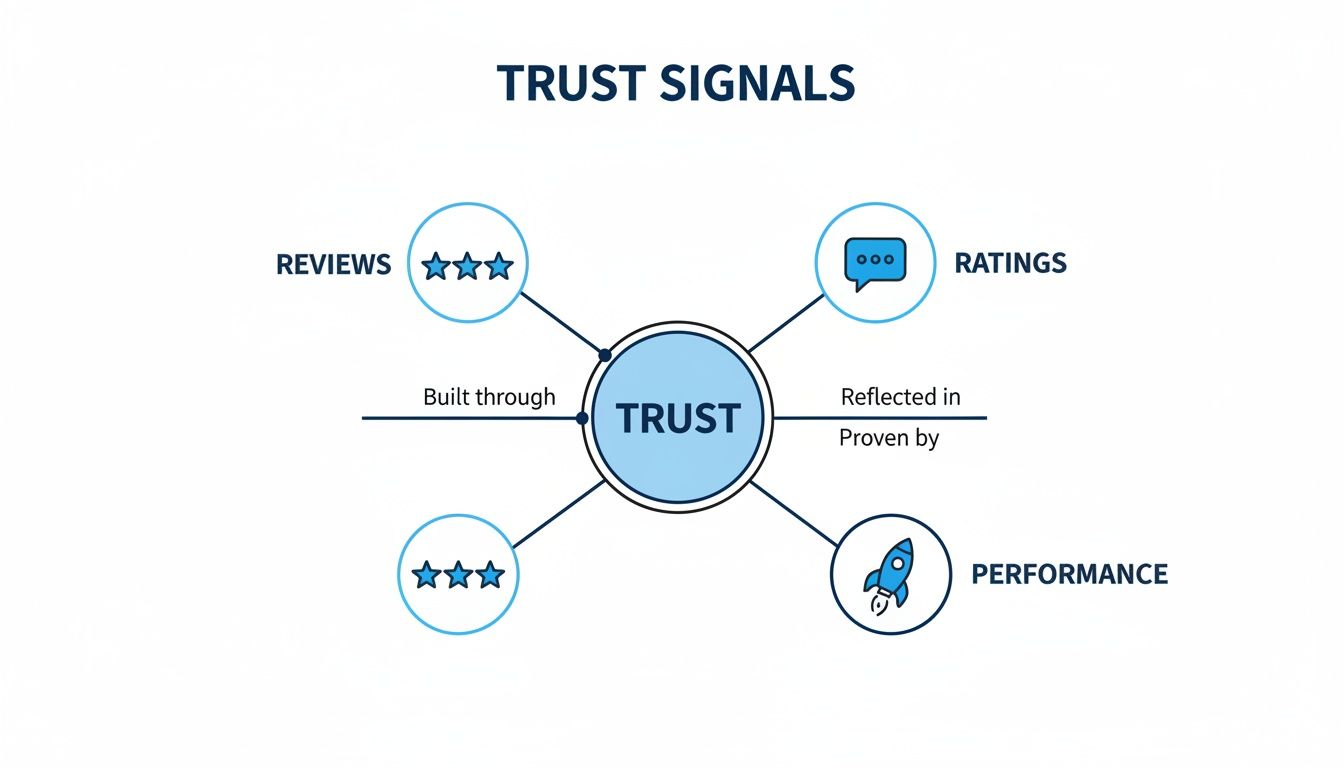
This just goes to show that regardless of the platform, building a quality product that earns user trust is the bedrock of any successful ASO strategy.
ASO Quick Reference: Apple App Store vs. Google Play Store
To make these differences easier to digest, here’s a quick side-by-side comparison of the most important ASO factors for each store.
Keep this table handy as you start crafting your store listings. A quick check can save you from making a simple mistake that costs you visibility.
Comparing Visual Asset Requirements
Finally, don't forget your creatives. While both stores use icons, screenshots, and preview videos, their specifications and how they're displayed are different.
Google Play gives you more creative freedom, including a prominent feature graphic that acts like a billboard for your app. Apple's guidelines are much stricter, enforcing a clean and consistent look across the store. Customizing your screenshots and videos for each store’s layout is a small step that makes a big difference in converting lookers into users.
Measuring Your ASO Success with KPIs and Tools
You can’t improve what you don’t measure. When it comes to App Store Optimization, guessing is a recipe for disaster. Without tracking your performance, you're flying blind, with no real way to know if your tweaks are boosting your app's growth or sending it into a nosedive. This is where Key Performance Indicators (KPIs) and a good set of tools make all the difference.
Think of it as creating a feedback loop. You make a change, you measure the result, and you learn from it. This process turns ASO from a purely creative task into a data-driven science, allowing you to see the real-world impact of your work, celebrate the wins, and quickly pivot when something isn’t hitting the mark.
Key Performance Indicators You Must Track
To get a true sense of your ASO impact, you need a dashboard of a few core metrics. While you could drown in data, focusing on these essentials will tell you 90% of the story and show the real return on your efforts.
These are the non-negotiables for understanding your app's health in the stores:
- Keyword Rankings: This is your most direct feedback on visibility. Are you showing up for the terms your ideal users are searching for? Tracking where your app ranks for its target keywords tells you immediately if your metadata changes are working.
- Organic Downloads: This is the ultimate goal. This number tells you how many people found your app through search or by browsing the store, not by clicking on an ad. A steady climb here is the clearest sign that your ASO strategy is paying off.
- Conversion Rate (Impressions to Installs): So people are seeing your app, but are they downloading it? This KPI reveals how persuasive your app store page is. It’s the percentage of people who see your app and are compelled enough to tap "Install." A better icon, killer screenshots, or glowing reviews can send this number soaring.
- Category Rankings: While not as critical as keyword rankings, a high rank in your app's category can be a powerful source of discovery traffic. Think of it as a signal of your app's overall momentum and popularity within its niche.
Looking at these metrics together gives you the full picture. For example, if your keyword rankings shoot up but your downloads stay flat, that's a huge red flag. It probably means your screenshots or app icon aren't convincing enough. This data-driven mindset is a cornerstone of any effective mobile app marketing strategy, helping you diagnose problems before they get out of hand.
Essential ASO Tools for App Founders
Trying to track all of this by hand is a nightmare. Thankfully, there’s a whole ecosystem of ASO tools built to do the heavy lifting, help you find new opportunities, and even spy on your competition. These platforms are your mission control for optimization.
While each tool has its own unique flavor, most are designed to solve a few key problems.
ASO tools don't just throw data at you; they provide clarity. They help you connect the dots between raw numbers and actionable insights, making it much easier to focus on the tasks that will actually move the needle.
Here’s a look at the types of tools you should have in your ASO toolkit:
- All-in-One ASO Platforms: Think of these as your Swiss Army knife. Tools like AppTweak, App Radar, and Sensor Tower bundle everything you need into one place: keyword research, rank tracking, competitor analysis, and review management.
- A/B Testing Services: How do you know which icon will get more downloads? You test it. Platforms like SplitMetrics or the built-in experiments on Google Play's own console let you run scientific tests on your creative assets to see what truly resonates with users.
- Review Management Tools: Your app's reputation is everything. Services like AppFollow pull all your user reviews from both stores into a single dashboard, making it simple to monitor feedback, respond to users, and manage your online reputation.
By pairing the right KPIs with the right tools, you create a powerful engine for constant improvement. This data-first approach ensures every decision you make is informed, strategic, and laser-focused on driving sustainable, organic growth for your app.
Your Top App Store Optimization Questions, Answered
Alright, even after laying out the whole strategy, a few practical questions always pop up. It's totally normal. Let's tackle the most common ones I hear from founders so you can stop wondering and start optimizing with confidence.
How Long Does ASO Actually Take to Work?
This is always the first question, and the honest-to-goodness answer is, "it depends." Think of ASO as getting a flywheel spinning. It takes a big push to get started, but then it builds momentum. You aren't going to flip a switch and see a flood of downloads tomorrow.
While you might spot some early keyword ranking shifts within a couple of weeks after a big metadata change, the real, meaningful impact on your organic downloads usually takes 30 to 90 days to show up in the data.
Things like how crowded your app category is, how fierce the competition is for your target keywords, and your app's existing reputation all factor in. The trick is to treat ASO as a continuous improvement cycle, not a one-and-done project.
How Often Should I Be Updating My App's Metadata?
This is a delicate balance. You don't want to change your keywords and description every other day, because that can trip up the store algorithms and prevent them from properly indexing your app.
A good rhythm to aim for is a full review and update of your title, keywords, and descriptions every 4 to 6 weeks. That gives the app stores enough time to process your last set of changes and gives you enough time to collect meaningful data on what worked and what didn't.
But, like any rule, there are exceptions. You should absolutely make updates for major events:
- Launching a new feature? Get those new screenshots and description points live to show it off.
- A holiday or big cultural event is coming up? It might be smart to temporarily tweak your keywords to catch that wave of interest.
- Did your rankings suddenly tank? Don't wait a month; that's a clear signal it's time for an immediate refresh.
Think of your ASO updates like tune-ups for a car. You don't need to do them every day, but regular check-ins ensure everything is running smoothly and efficiently, preventing bigger problems down the road.
Is ASO Going to Mess Up My Paid Ads?
Nope, just the opposite! ASO and paid user acquisition (like Apple Search Ads) are a dream team. They work together to make each dollar you spend more powerful.
Think about it: a well-executed paid ad campaign drives traffic to your app store page. If that page is a mess, you just paid to send potential users to a dead end. But with strong ASO, your page is optimized to convert those clicks into downloads, improving your ad ROI.
This creates a fantastic feedback loop. Paid ads bring in a rush of traffic and downloads, which signals to the store algorithms that your app is popular and relevant, often giving your organic rankings a nice little boost. At the same time, your ASO work ensures that every single visitor, whether from an ad or an organic search, is met with a compelling pitch to hit that "Download" button.
At Adworkly, we build the systems that drive repeatable, scalable growth for mobile apps. If you're ready to turn your app into a high-performance acquisition engine, learn more about our AI-first approach and see how we help founders get their customers on autopilot.